Turbo Soccer Aerial Guide
From takeoff to a first controlled aerial touch: Right Mouse jump and float, directional flips, boost and camera setup, plus a short Free Play drill.
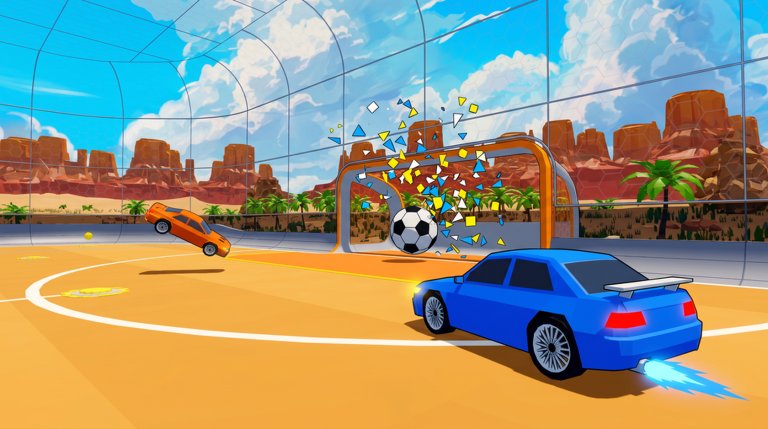
The whole PC aerial is one repeatable chain: hold Left Mouse to boost, click Right Mouse to jump, hold Right Mouse to keep the car floating, then — when you want a flip — hold a direction (W/S/A/D) and press Right Mouse again mid-air. Switch off the two camera settings that fight aerial reads, practice the chain on a soft bouncing ball, and land facing your own net. Here is each step in order.
Controls and camera setup for aerials
Everything the chain needs is already on the default PC layout:
| Input | Action | What it does for an aerial |
|---|---|---|
| W / A / S / D | Throttle, reverse, steer | Carries you to the ball, then sets your flip direction |
| Left Mouse (hold) | Boost | Burns the boost meter for burst speed |
| Right Mouse (click) | Jump | Pops the car off the ground |
| Right Mouse (hold) | Float | Keeps the car hovering just off the turf |
| Right Mouse + W/S/A/D | Directional flip | Front, back or side flip while airborne |
| Q / E | Air roll | Rolls the car left or right mid-air |
| Space | Ball cam | Locks your view toward the ball |
Two camera settings decide whether you can read a flip at all. Turn Camera Follows the Nose in the Air off: while it is active, any backward tilt during takeoff drags the camera down toward the turf and hides the ball; turned off, the horizon stays level through the whole maneuver. Turn Camera Shake off too, and leave Invert Vertical Swivel off unless you prefer flight-simulator orientation. With both off, you gauge flip timing purely from the car's physical rotation. If your client saves settings, keep two profiles: a grounded one with slightly lower look sensitivity, and an aerial practice one with pitch response raised a notch. The full walkthrough is in the camera settings guide.
Takeoff and steering in the air
- Drive at where the ball will be, holding Left Mouse if you need the burst — boost consumes the boost meter, so arrive with some in the tank.
- Click Right Mouse to jump.
- Keep Right Mouse held to float. The car suspends slightly off the ground — enough to contest a high bouncing ball or block a shot aimed at the upper crossbar — and Right Mouse also pitches the nose while airborne.
- Hold a direction and press Right Mouse again to flip: W for a front flip, S for back, A/D for sides. Jump + direction alone rotates the car, and Q/E rolls it left or right.
- Manage boost in the air. Boosting amplifies forward momentum hard, so release it briefly to settle the car, then steer toward the target. Competitive saves and shots chain jump → flip → boost exactly this way.
Two warnings before you practice. First, the most common beginner trap is jump overuse: because holding Right Mouse floats the car, a stray click launches you over the ball instead of driving through it — one how-to-play creator kept setting off unwanted jumps by accident. Keep four wheels on the turf until you deliberately want an aerial block or flip shot. Second, expect Rocket League habits to transfer only partially: the creator who completed the tutorial's flip on camera noted the controls feel very different.
A caveat on the buttons themselves: the official Roblox listing publishes no bindings (PC uses WASD plus the mouse, mobile on-screen controls, console a compatible controller), so this sequence rests on guides that cite the in-game tutorial and on gameplay recordings. Some sources list Space as an alternate jump or Shift as an alternate boost, but those conflict with the tables binding Space to ball cam only and boost to Left Mouse only — treat the in-game controls screen as the authority and reopen it after updates, since exact labels can shift in beta. The full bind table is on the controls page; gamepad players can try one guide's suggested layout (B for boost, A for jump, LB/RB for directional air rolls), though no complete console or mobile map is published.
Timing the touch on an aerial ball
Pick the moment first. Go up when you arrive early with about half a boost tank or more, when a soft bounce rewards a simple header-style bump, or when the opponent is out of position after a whiff. Stay grounded when you are the last man back or when a ground shot already sees the net.
The documented first-contact route: choose a soft bouncing ball, arrive early with half a tank, then jump and hold Right Mouse to float into the ball's line for a bump — or flip into it for a soft first touch. Keep the boost finger ready but idle until the touch window opens; clean, small inputs beat flashy mechanics, and a brief boost release just before contact helps you steer.
One honest boundary: the takeoff, float and flip inputs are corroborated by gameplay recordings — including a tutorial flip completed on camera and held Right Mouse flight — but the complete mid-air ball touch and the controlled landing afterward are documented in written guides rather than shown end-to-end in footage. Treat your own first contacts as the test, not this page.
Land, recover, and drill it
Recover the same way every time: land facing your own net — the stated principle of the practice block below, and the position from which you can actually defend the next play.
- Single jumps first. Warm up until you make clean contact with ground-level rolling balls before touching flips at all.
- Flip into ball. Jump, directional flip, soft first touch — repeat until the touch stays soft instead of blasting the ball away.
- Aerial touches (about 3 minutes). Eight front-flip bumps, then eight floating challenges, landing facing your own net every time.
If you lose track of the ball mid-drill, keep ball cam on (Space), and use short boosts to line up the ball instead of rushing past it. Run the block in Free Play first — Turbo Soccer even awards XP just for driving around and taking practice shots there, and you need no purchases or codes for any of it — then take your flip shots into Ranked matches. Boost handling lives in the boost guide, more drills in the training guide, and once your first touches start landing, the shooting tips page turns them into goals.
Related Guides
Boost Guide: Use the Speed Boost
Activate speed boost, learn what limits it, and see where boosting wins kickoffs, chases, saves, and recoveries.
Training Guide: Practice Routine
An ordered practice routine built from real drills, from Free Play contacts to Rings, Targets, and ranked-readiness checks.
Shooting and Goal Scoring Tips
Line up behind the ball, finish ground shots at the far post, and know exactly when a goal counts.
Camera Settings and Ball Cam
Find every camera option, toggle Ball Cam, and compare Competitive and Far views to keep the ball in sight.